Map material
Alternatively you could directly map the material from the Flux. Aliases could be used to use the material names which are commonly used in your factory.
Add Bend Material from Flux
-
Open Flux. Click Database and Materials.
-
Add Material and its parameters. Close Flux.
-
Right-Click Pmonitor in system tray, click PushFlux Config.
-
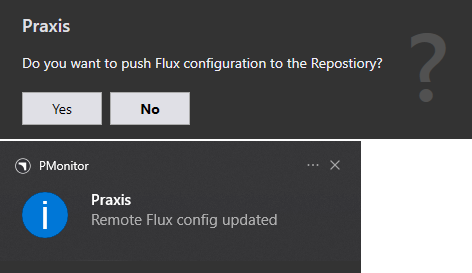
Click Yes to confirm pushing the Flux configuration to the Repository.
Map Material Name
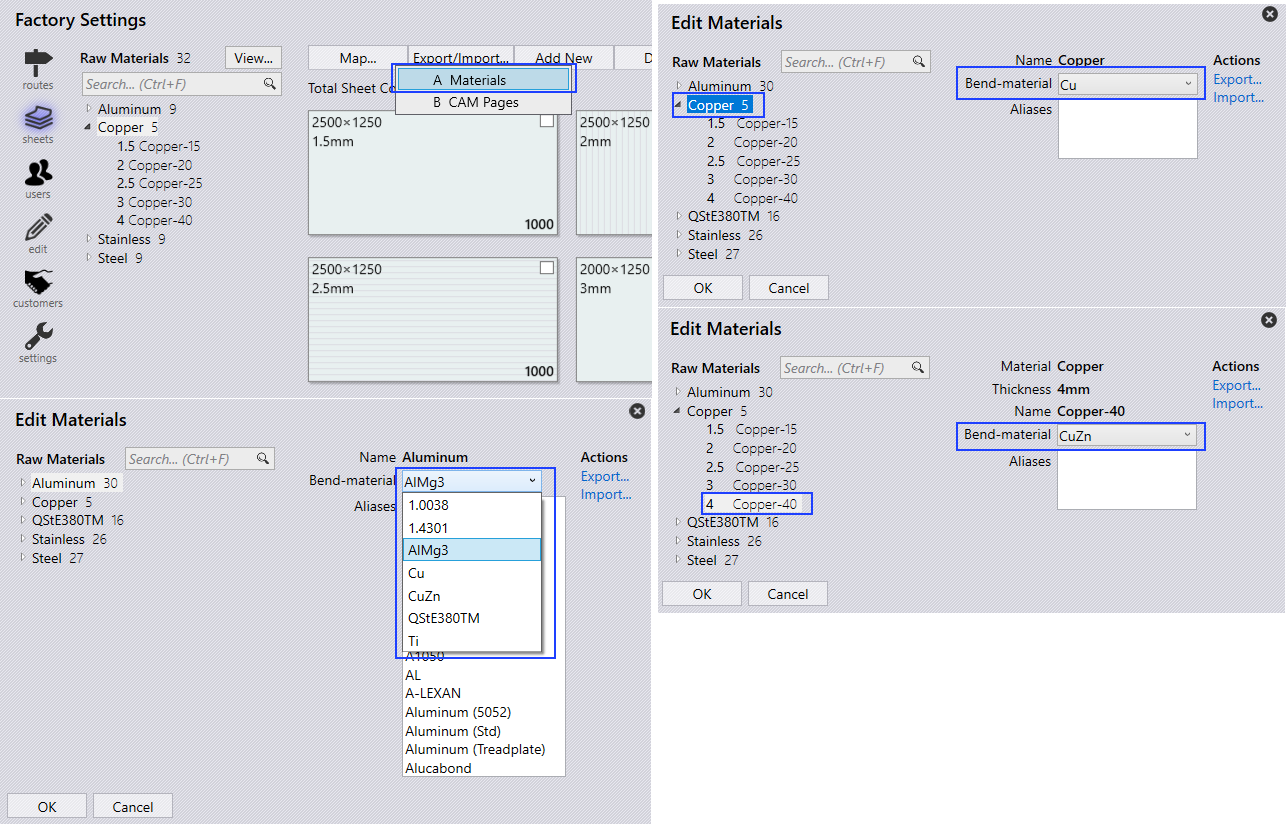
factory → sheets → Map… → Materials, Edit Materials page appears. Materials and Raw Materials are listed at the left to Map against the Bend Material (1.0036, 1.4301, AlMg3,…) and/or to mention the Aliases.
-
Click the Copper Material and select Cu. Material is assigned to all Copper Raw Material (Copper-15, Copper-20, Copper-25, Copper-30, Copper-40).
-
Click Copper-40 Raw Material and Select CuZn.
Bend Material mapping against Material or Raw Material can be done.