
Bend
Bend settings can be accessed by clicking on the Factory icon and then selecting Settings where you will see a list of all the available software’s environmental settings.
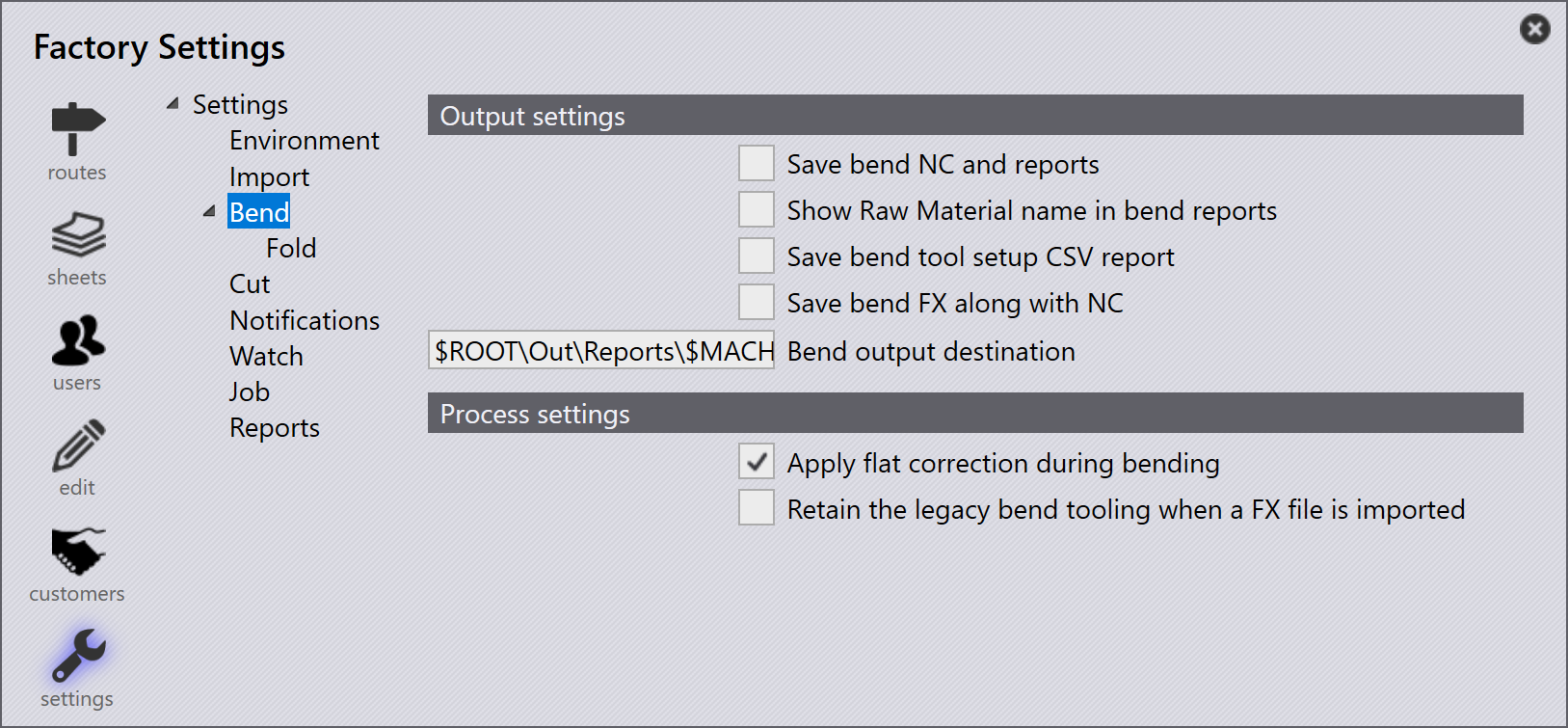
Output settings
Save bend NC and reports- The tooling results are saved only if the tooling is OK and these export settings are enabled and configured. Enable this option for the Bend NC and reports to be reserved.
Show Raw Material name in bend reports - Praxis to print raw-material names in bend reports.
Save bend tool setup CSV report - Exports the bend tool configuration details into a CSV file
Save bend FX along with NC - If this option is enabled, when bending is performed inside Praxis the part output will be saved to the directory along with the NC files and report for every setup.
Bend output destination - This is the destination for the NC, reports and FX files to be saved.
Process settings
Apply flat correction during bending - When this option is selected, Praxis checks if the flat dimensions were updated during the bend tooling and re-updates the master copy used for the cutting process.
Retain the legacy bend tooling when a FX file is imported - Enable this option to retain the existing tooling when a legacy FX file is imported in Praxis.