Praxis Reference Manual

  • Welcome to Praxis
  • Installation
    • Hardware requirement
    • Supported file formats
    • Prerequisites
    • Server installation
    • Client installation
    • Change license
  • Configuration
    • Add/Remove machine
    • Setup tooling
    • Configure users
    • Language
    • Material
      • Add new material and sheet
      • Export/Import material
      • Replace material
    • Map material
    • Map CAM pages
    • Map fields from CAD (lookup keys)
  • The user interface
  • Workflow
  • Library
    • Open
      • Import parts
      • Import orders
      • Import jobs
      • Import assemblies
    • Library view
      • Parts
      • Assembly
    • Part status
      • Part validation
      • Part panel
      • Part filters
    • Tooling status
      • Tooling validation
        • Bend tooling validation
        • Cut tooling validation
        • Fold tooling validation
      • Tooling panel
    • Saving filters
  • Orders
    • Orders view
  • Jobs
    • Create job
    • Job view
    • Job panel
    • Auto plan
    • Interactive nesting
    • Repacking
    • Nest management
      • Layout view
      • Layout panel
      • Report sender
    • Remnant management
      • Auto remnant management
      • Manual remnant management
    • Twinline nesting
    • Out-of-date
    • Job filters
  • Factory
    • Routes
    • Sheets
    • Users
    • Edit
    • Customers
    • Settings
      • Environment
      • Import
      • Bend
      • Cut
      • Notifications
      • Watch
      • Job
      • Reports
  • Impressum
Configuration
/
Setup tooling

Setup tooling

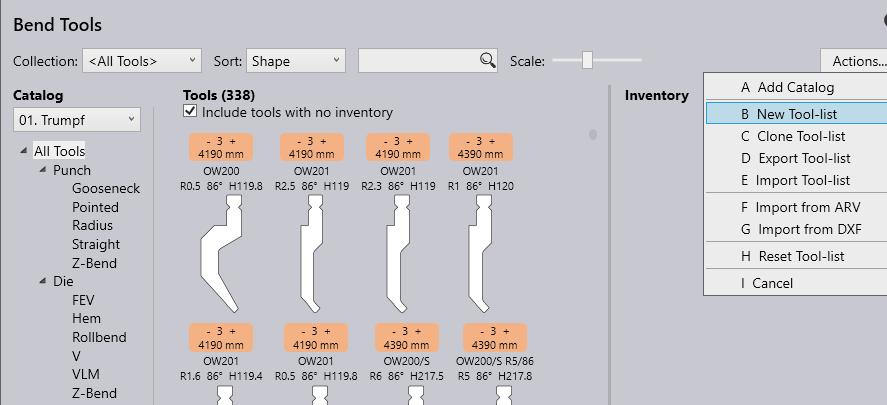
All calculations of needed geometry adaption as well as nesting and bending technology of Praxis is based on the state of the art technology modules Flux Bend and Flux Cut. In order to get the highest level of precision all details of your physical machines need to be configured.

Especially in Bend Technology all existing tools need to be known to the offline system. All Tooling for the machines will be configured in the Praxis Factory dialog but is analog to the dialog of the technology modules Flux Bend and Flux Cut.

Please refer to the Flux manuals to configure your system.

addtooling

Catalog options

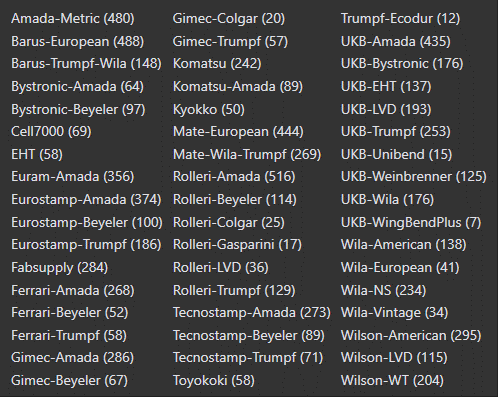
Clicking on the Catalog drop down will firstly list out any catalogs of tools that are already active along with a listing for any custom tools and the ability to install another catalog by clicking on the Add button.
toolcatalouge

Clicking on any catalog in the available list will then install it.

Collection

Bend Tool Inventory also supports the option to create custom collection(s) of tools which could be for a specific customer or cross catalog where multiple catalogs are in use

Refer to the Flux Bend manual for more information

Contents

  • Catalog options
  • Collection
Add/Remove machine Configure users

      Copyright © 2025 TRUMPF Metamation. All rights reserved.

    Compiled by Bento