
Auto plan
The Auto Plan automates the planning process for bending and cutting operations. It helps optimize machine usage, reduce material waste, and manage job priorities efficiently.
The general workflow is to first plan the parts for the bending machines and then plan the parts for the cutting machines.
Bend plan
A Bend Plan defines how parts are distributed across available bending machines.
Example: Bend Plan for 5 Parts (10 units each).
-
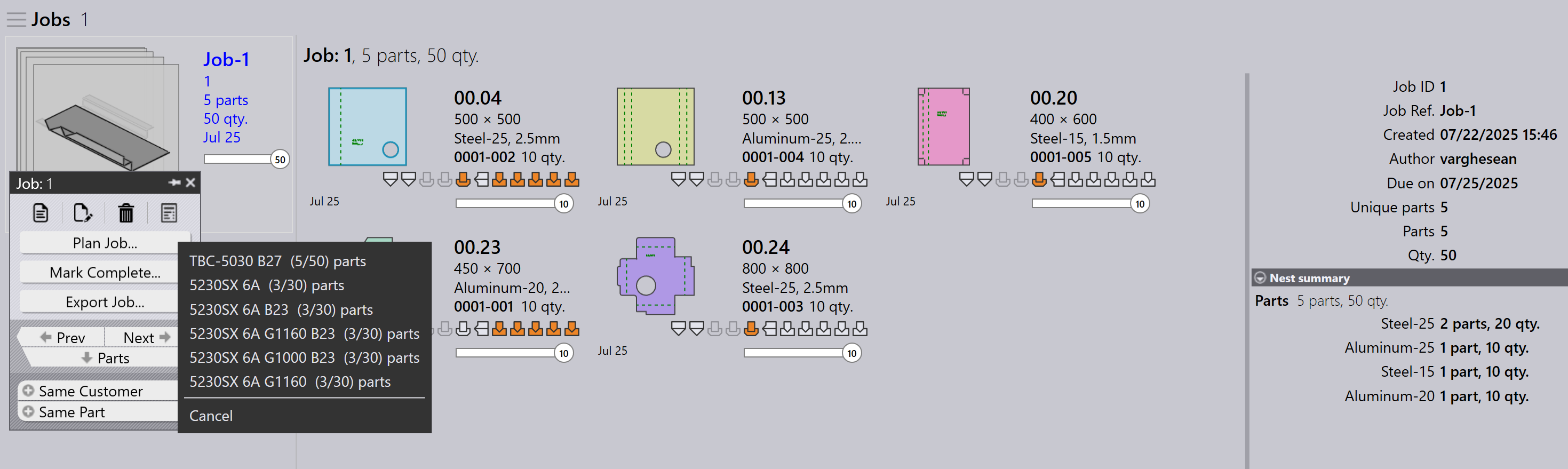
Click Plan Job… option.
-
5 parts (50 units) are assigned to TBC-5030 B27
-
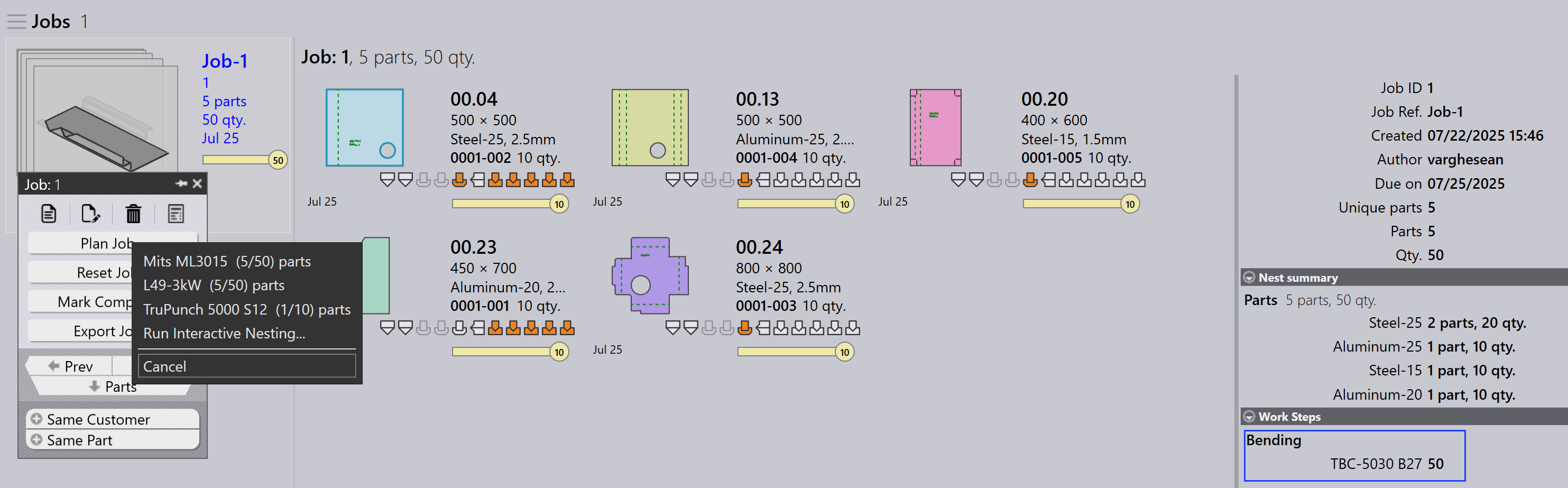
After planning, the job status is updated to Bend Planned for a total of 50 units. The work steps are updated with the assigned bending machines and part quantities.
Cutting plan - nesting
After the bending plan, the cutting plan is created by nesting parts on suitable cutting machines. There are two ways to nest:
Plan job for nest - job
Use Plan Job… to nest all parts in the job together. The nesting engine automatically processes all parts based on job priority, due date, and material. This is ideal when you want the entire job to be nested and sent to the cutting queue at once.
-
Click Plan Job… and select any machine.
-
The Pmonitor engine starts the nesting job.
-
The engine splits the job as needed to maximize sheet usage.
| It is not possible to nest by assigning specific materials to specific machines. For example, you cannot nest Material1 on Machine1 and Material2 on Machine2 in the same operation. |
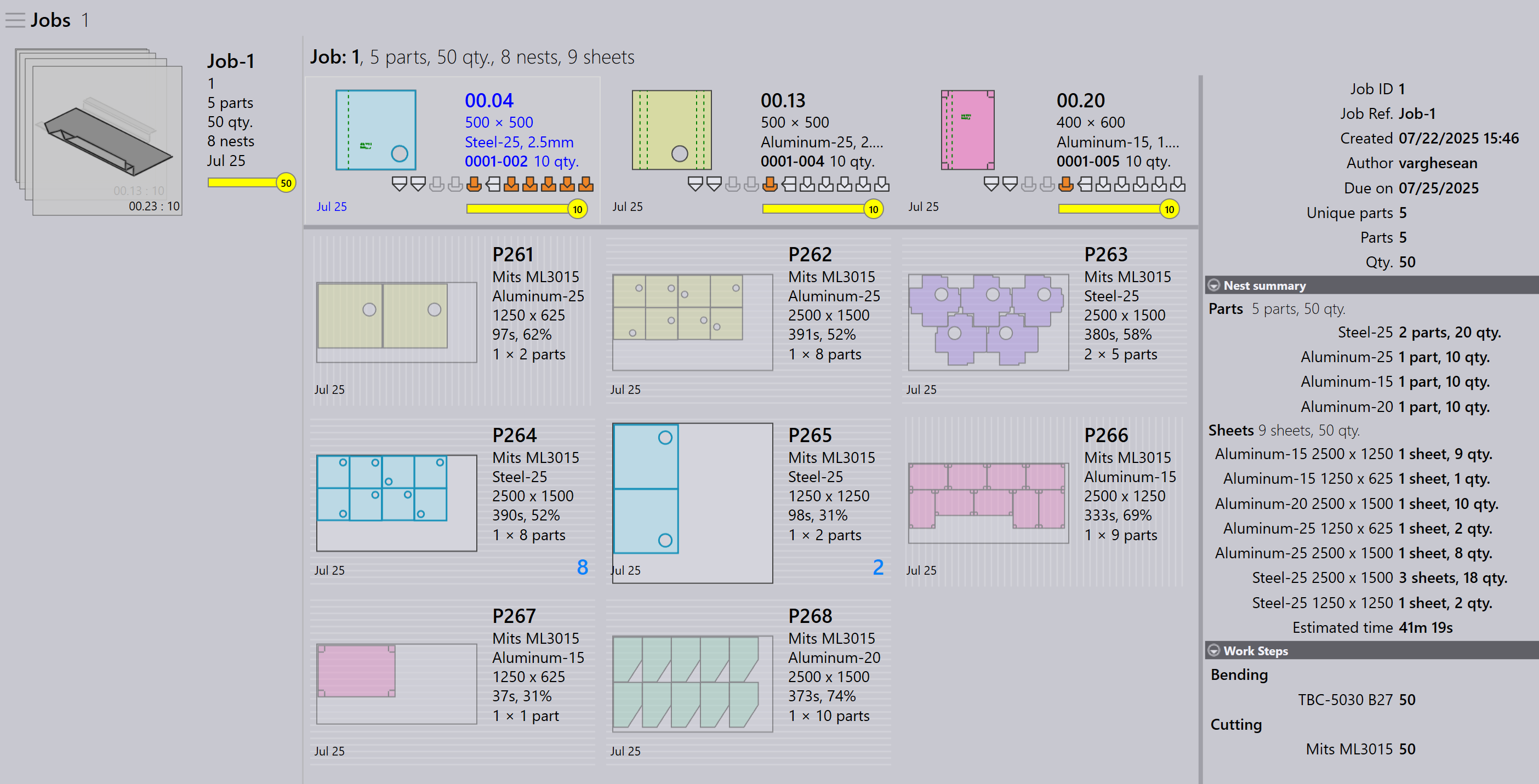
Here, the entire job is nested into 5 nests on L49-3kw. The job status is updated to 50 : Cutting Queue.
Plan part for nest - order
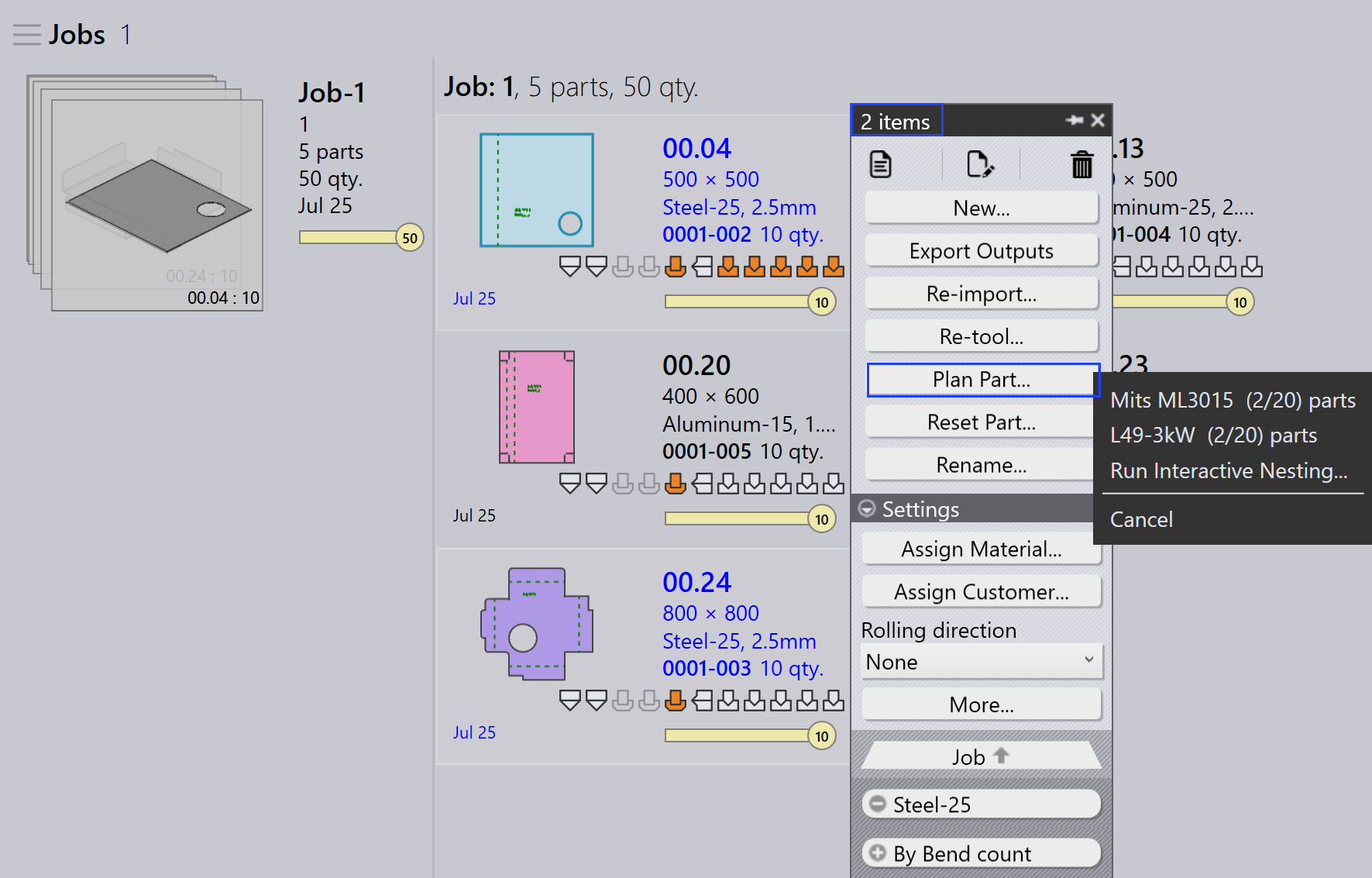
Use Plan Part for order-level nesting — that is, nesting only selected parts from the job. Typically, you right-click a part and choose Same Material, so only parts with the same material are grouped and nested together.
This is useful when you want to control which parts are nested — for example, parts of the same material or a specific batch.
-
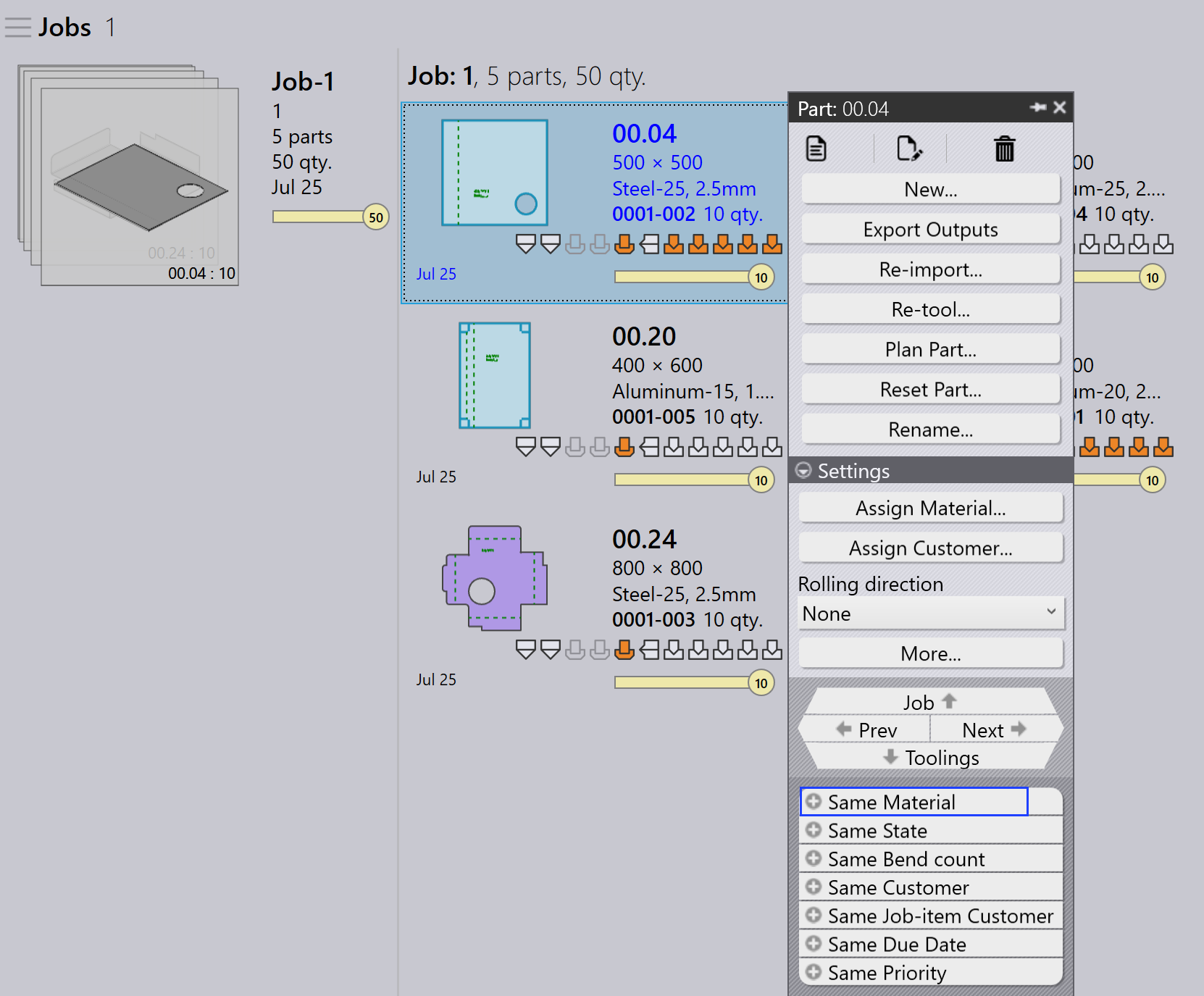
In the Job Detail page, right-click any part and select Same Material. All parts with the same material are selected.
-
Click Plan Part… and select a machine for nesting.
-
The engine processes only the selected parts and creates the nests.
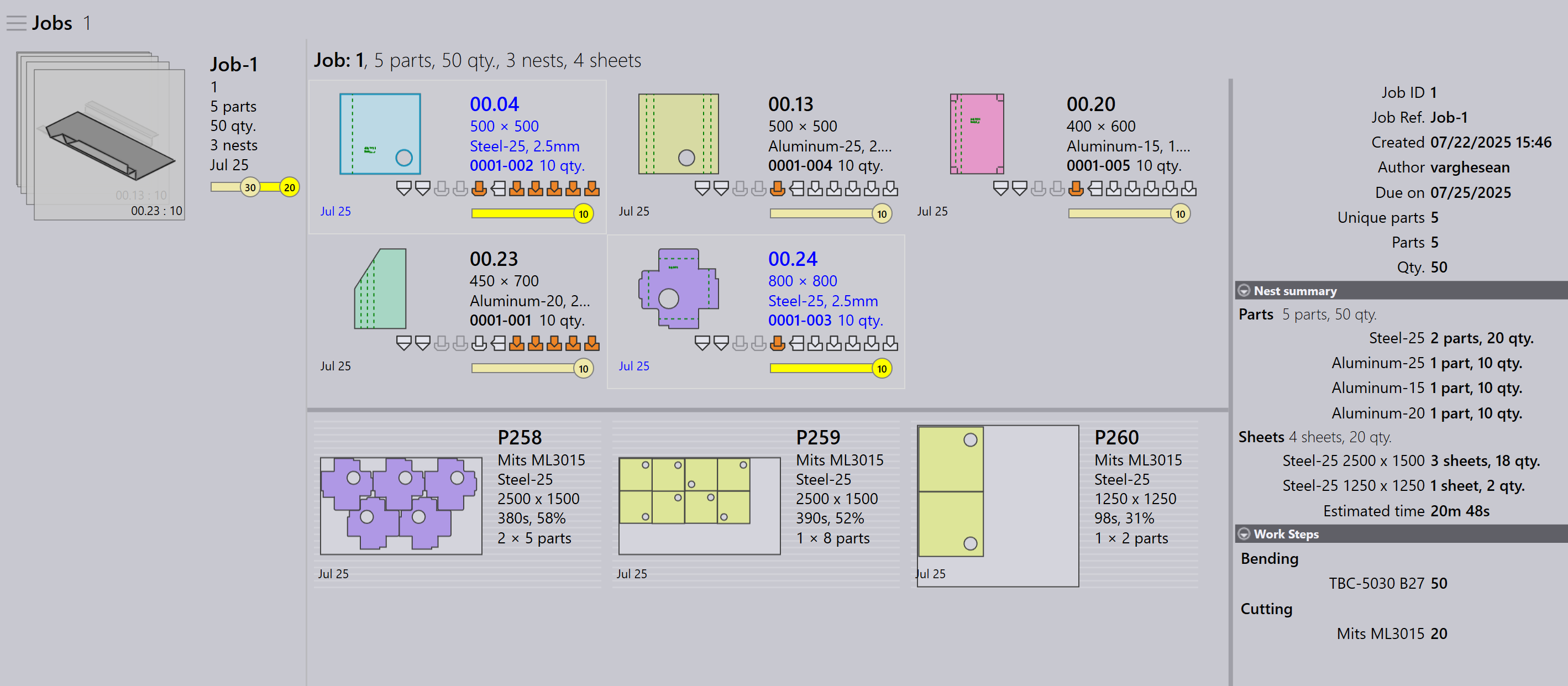
Here, steel-25 is nested on Mits ML3015.