Part status
When a part is imported into Praxis, the relevant sheet metal technology is automatically processed to the part. As part of this process, Praxis performs
The part state is displayed directly on the part tile, below the part name, indicating the current validation condition of the part.
Part state types describe the different conditions a part can be in as a result of part-level validation checks. These states indicate issues related to the part’s design, material, or geometry and must be resolved before tooling can proceed.
Part errors
A CAD (Computer-Aided Design) error occurs when there is an issue in the parts design or geometry, such as open contours, missing geometry, or unassigned material. These errors originate from the CAD model and prevent the part from being processed further.
-
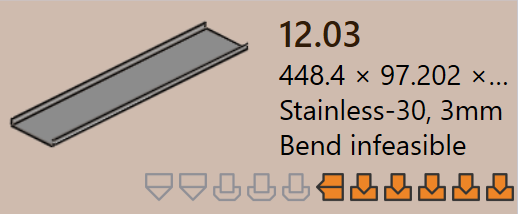
Bend infeasible : Praxis automatically tries to find a valid bending method for the part. If it cannot find any suitable bend solution, the part is marked as bend infeasible.
-
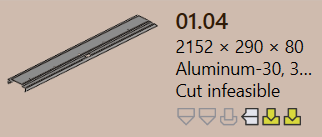
Cut infeasible : If bend warnings are ignored, Praxis then attempts to find a cutting method. If no valid cutting solution is found, the part is marked as cut infeasible.
Material errors
-
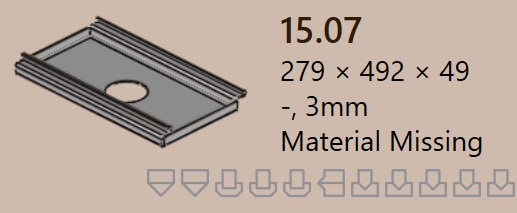
Material Missing : The part’s thickness is read from the CAD model and matched with materials in the Praxis Raw Material database. If no matching material is found, the part is marked with a Material Missing error.
-
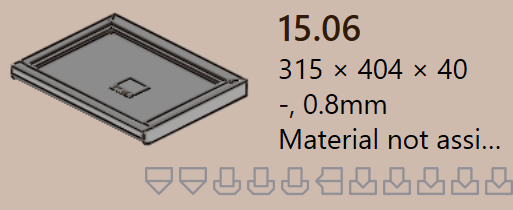
Material not assigned : If the CAD model does not have a material mapping field or if the field is empty, Praxis cannot assign a material. In this case, the part is marked with a Material not assigned error.
Geometry errors
-
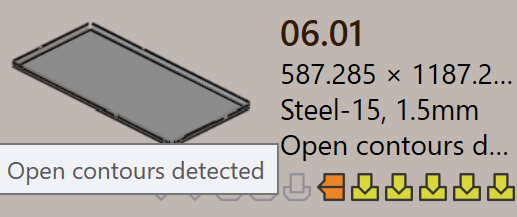
Open contours detected : The CAD file has one or more open (incomplete) shapes, which prevents proper tooling.
-
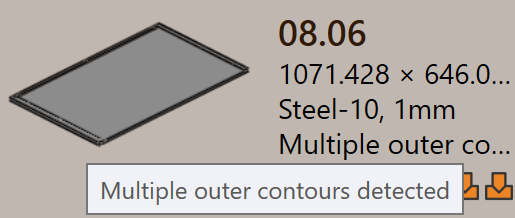
Multiple outer contours detected : The CAD file has more than one outer closed loop, which creates confusion during processing.
-
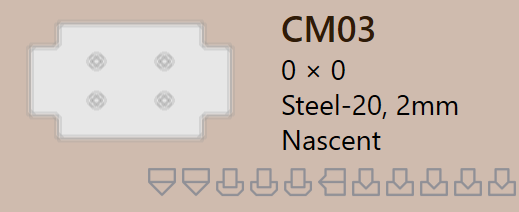
Nascent error : When a part is loaded from a spreadsheet (CSV or XLSX), but the actual CAD file is missing, it is marked as a nascent part.
-
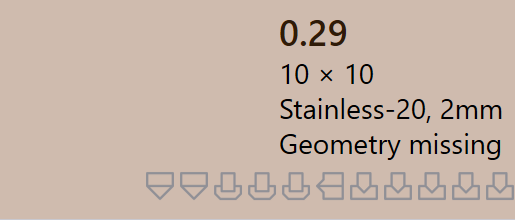
Geometry missing : The CAD model has no valid geometry or the geometry is unreadable, making it unusable for tooling.