
Praxis Reference Manual

  • Welcome to Praxis
  • Installation
    • Hardware requirement
    • Supported file formats
    • Prerequisites
    • Server installation
    • Client installation
    • Change license
  • Configuration
    • Add/Remove machine
    • Setup tooling
    • Configure users
    • Language
    • Material
      • Add new material and sheet
      • Export/Import material
      • Replace material
    • Map material
    • Map CAM pages
    • Map fields from CAD (lookup keys)
  • The user interface
  • Workflow
  • Library
    • Open
      • Import parts
      • Import orders
      • Import jobs
      • Import assemblies
    • Library view
      • Parts
      • Assembly
    • Part status
      • Part validation
      • Part panel
      • Part filters
    • Tooling status
      • Tooling validation
        • Bend tooling validation
        • Cut tooling validation
        • Fold tooling validation
      • Tooling panel
    • Saving filters
  • Orders
    • Orders view
  • Jobs
    • Create job
    • Job view
    • Job panel
    • Auto plan
    • Interactive nesting
    • Repacking
    • Nest management
      • Layout view
      • Layout panel
      • Report sender
    • Remnant management
      • Auto remnant management
      • Manual remnant management
    • Twinline nesting
    • Out-of-date
    • Job filters
  • Factory
    • Routes
    • Sheets
    • Users
    • Edit
    • Customers
    • Settings
      • Environment
      • Import
      • Bend
      • Cut
      • Notifications
      • Watch
      • Job
      • Reports
  • Impressum
Jobs
/
Twinline nesting

Twinline nesting

Twinline nesting allows parts with common edges to be cut using a single line instead of two. This saves material, reduces cutting time, and improves overall production efficiency.

  • To enable this feature click on factory → Job → Nest settings→ Automate twin-line nesting.
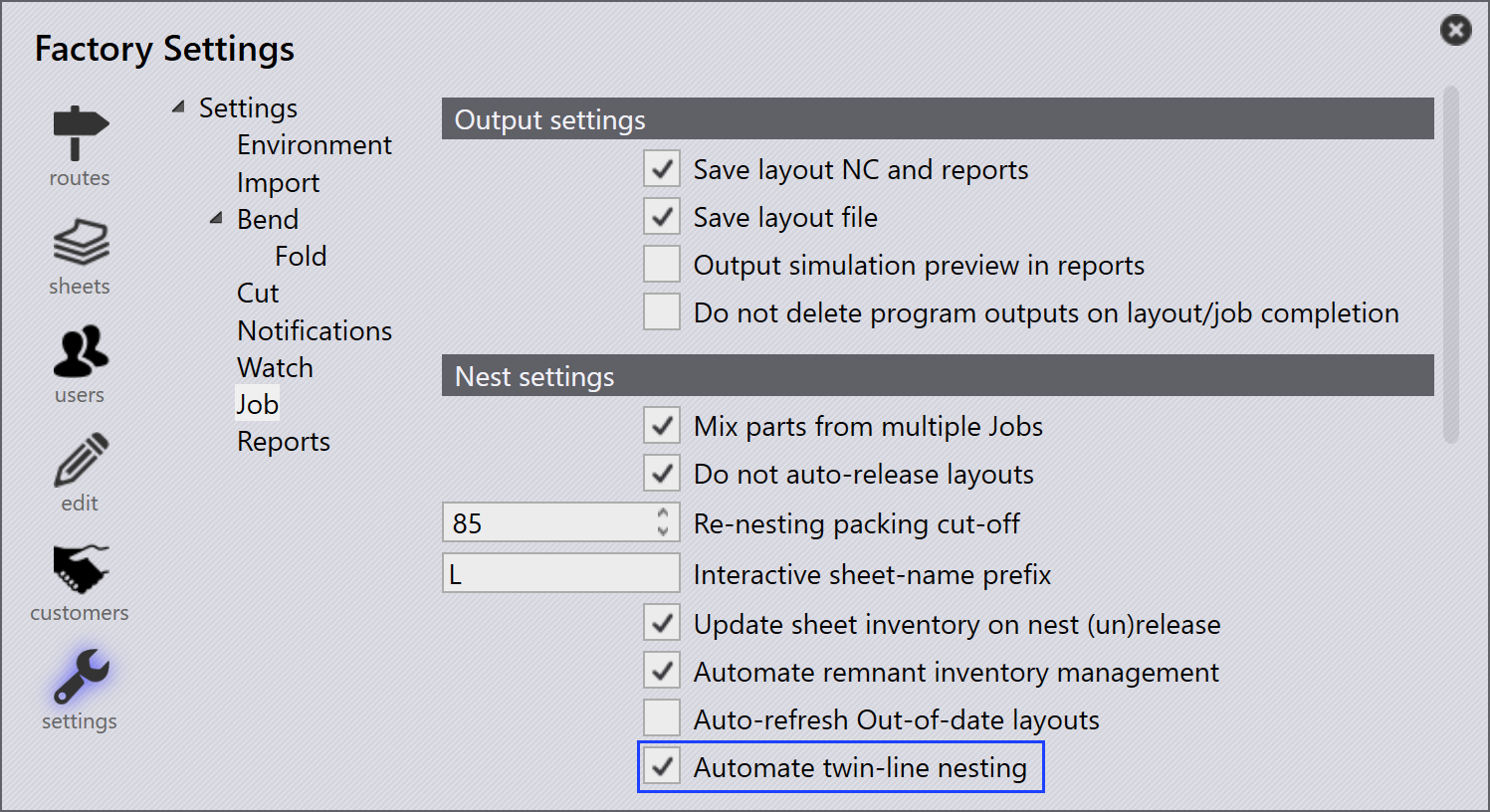
    Twinline Nest
  • When this option is enabled, the system automatically checks each imported part for twin-line feasibility.

  • Feasible parts are automatically marked as Can Twinline is Yes while importing.
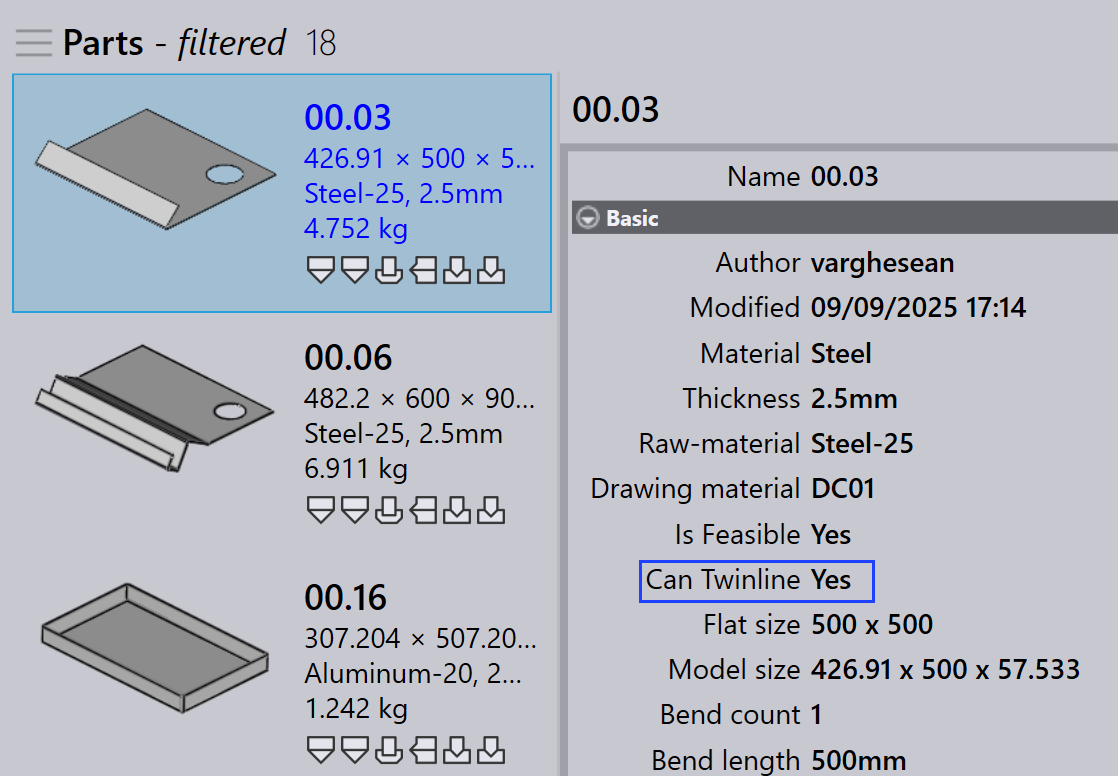
    Can Twinline
  • In the job dialogue, you can enable Enable Twin-line Nesting if the job requires twin-line nesting.
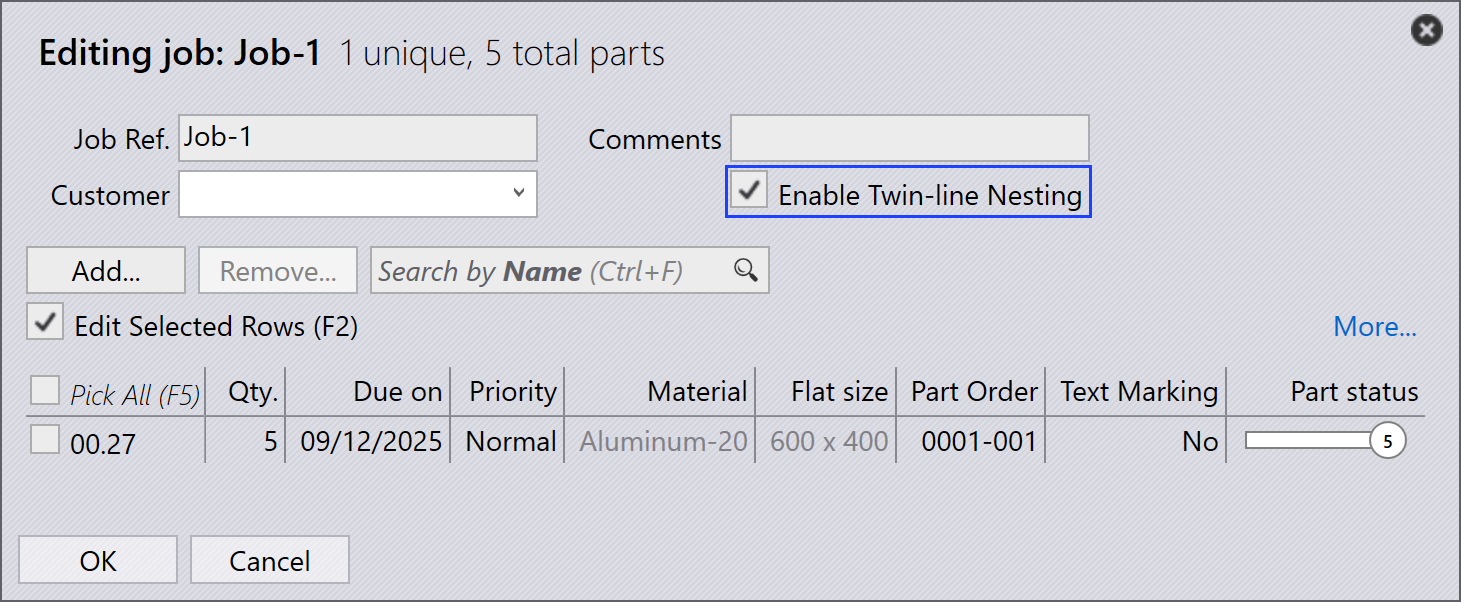
    Twinline Job
This option appears only if Automate twin-line nesting is enabled in factory settings.
  • After planning, any nests containing parts that share common edges are automatically twin-lined.
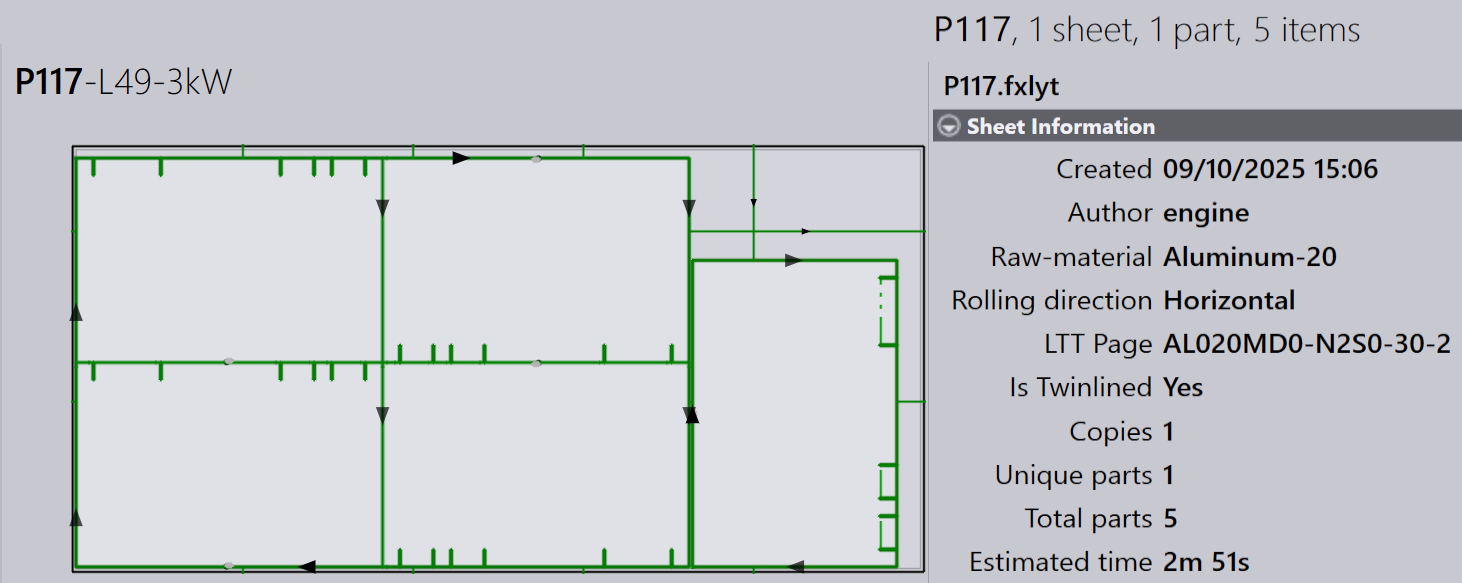
    Is Twinlined
  • A layout is considered twin-lined when the field

Is Twinlined layout is marked to Yes.

Manual remnant management Out-of-date

      Copyright © 2025 TRUMPF Metamation. All rights reserved.

    Compiled by Bento